
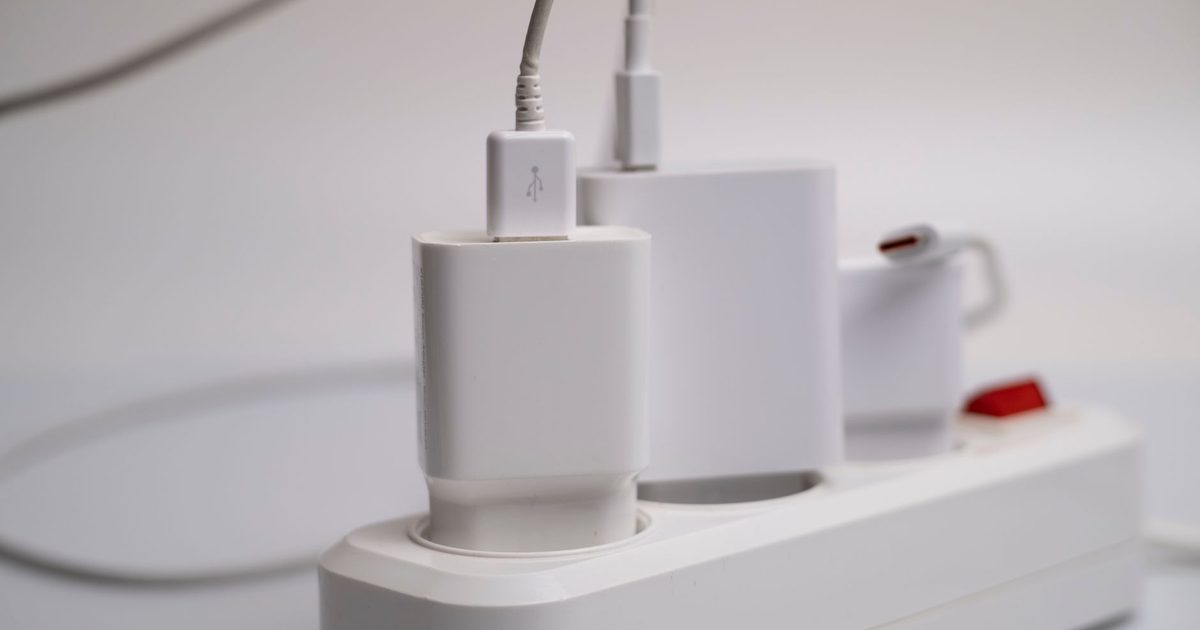
A 100W GaN charger is the sweet spot for powering a laptop, tablet and phone from a single brick. This guide rounds up three strong picks for UK buyers, two 100W bricks plus a 140W step-up for hungrier laptops, comparing ports, single-port output and everyday practicality so you can pick the right one for your kit. If you'd rather a charger that lives on the desk and powers a whole deskful at once instead of travelling in a bag, a USB-C charging station is the stationary alternative.
Top picks
1. Anker 100W USB C Charger (3-Port GaN, Smart Display) - Best Overall
SPP Score: 9.2 / 10 - 100W output, 3-port layout, GaN build with a smart display. Our all-round pick.
Capability 9.4/10 - Versatility 7.6/10 - Build 9.8/10 - Value 8.9/10 - Fit 9.8/10
Fit for this guide: Readers here want 100W from one plug, and this three-port GaN charger rates 100W on a single port.
Every pick here is scored out of 10: four marks rate the product and are the same in every guide, and the fifth rates its fit for this guide - how we test and score.
The Anker 100W is our standout because it pairs full single-port output with a smart display. Anker says its GaN design "delivers a steady 100W output on any USB-C port", and the listing title adds touch control. It has two USB-C ports and a USB-A port, and with all three busy Anker lists the split as 80W, 12W and 7.5W, so the laptop on the first USB-C port keeps most of the power. For a laptop plus a couple of accessories, this hits the right balance of power and ports.
Pros
- ✓ Up to 100W from either USB-C port, per Anker
- ✓ A smart display with touch control, per its listing title
- ✓ Three ports (2x USB-C, 1x USB-A) cover laptop, phone and a legacy device together
Cons
- ✗ With all three ports busy, Anker's split leaves the second USB-C port 12W and the USB-A 7.5W
- ✗ Its third port is USB-A, so two USB-C devices at once is the limit
Who it's for: Anyone who wants one charger to handle a laptop and accessories, with a smart display on the charger.
Who it's not for: Minimalists who only ever charge a single phone and don't need the display or extra ports.
2. UGREEN Nexode 100W USB C Charger 4-Port GaN - Best Budget
SPP Score: 8.9 / 10 - 100W output, 4-port layout, GaN build. Our value pick.
Capability 9.4/10 - Versatility 8.0/10 - Build 9.4/10 - Value 8.9/10 - Fit 8.9/10
Fit for this guide: This guide's 100W bar is met, and four ports suit charging several devices.
The UGREEN Nexode 100W is the four-port pick here, and that's exactly the point of it. UGREEN's listing title gives it four ports, 100W and a GaN build, so one plug keeps a laptop and several smaller devices topped up.
Pros
- ✓ Four ports, per its listing title, for several devices at once
- ✓ 100W from one plug, per its listing title
Cons
- ✗ Its listing title gives 100W but not how that splits when several ports are busy, so check it before you charge a laptop alongside other devices
- ✗ Its listing title gives the port count but not which sockets they are, so check it if you need a USB-A port
Who it's for: Households or travellers who need to charge several devices from one wall socket.
Who it's not for: Buyers who only ever charge one device at a time.
3. Anker 140W GaN USB C Charger (Foldable Plug) - Best Premium
SPP Score: 8.7 / 10 - 140W GaN charger with a foldable plug. Our pick for maximum capability.
Capability 9.8/10 - Versatility 7.6/10 - Build 9.4/10 - Value 8.9/10 - Fit 8.0/10
Fit for this guide: A 100W guide does not ask for 140W, so this charger suits only laptops that draw more than 100W.
This is the step past the 100W class. Anker's listing title gives it 140W, a GaN build and a foldable plug, for a laptop whose own charger is rated above 100W.
Pros
- ✓ 140W in its listing title, for laptops the 100W picks can't charge at full speed
- ✓ A foldable plug, per its listing title
Cons
- ✗ No port count in its listing, so confirm how many devices it takes at once before you buy
- ✗ Overkill if nothing you own charges above 100W
Who it's for: Owners of laptops whose own charger is rated above 100W.
Who it's not for: Anyone whose biggest device tops out at or below 100W.
Quick verdict
For most people the Anker 100W USB C Charger (3-Port GaN, Smart Display) is the one to get: full power on either USB-C port, a smart display and a three-port layout. If you want four ports from one plug, the UGREEN Nexode 100W USB C Charger 4-Port GaN is the pick. For a power-hungry laptop that a 100W plug can't keep up with, step up to the Anker 140W GaN USB C Charger (Foldable Plug).
Which one for a MacBook Pro?
Apple's fast-charge page lists "16-inch MacBook Pro (2021 or later): 140W USB-C Power Adapter + USB-C to MagSafe 3 Cable", and the Anker 140W is the one charger here with that wattage. Apple also says you can charge a Mac "with any USB-C power adapter or display, even if it provides higher or lower wattage than the adapter recommended for your Mac", so either 100W pick still charges a 16-inch, at up to 100W rather than 140W. For a 14-inch or 13-inch MacBook Pro, read the wattage printed on its own adapter: if it is 100W or less, both 100W picks are listed at that wattage or more, and if it is 65W or less, our 65W GaN charger guide covers that class.
How we chose
The 100W class is crowded, so we compared what actually separates these three: single-port wattage, the number and mix of ports where the maker or the listing title states them, and what else each plug offers, such as a display or a foldable plug. We weighed everyday usefulness rather than headline numbers alone. Each one links to its Amazon UK listing, where you can confirm the port mix suits your kit.
FAQ
Q: What does GaN mean and why does it matter? A: GaN (gallium nitride) lets chargers run cooler and smaller than older silicon designs, so a 100W brick stays compact enough to carry every day without sacrificing output.
Q: Can a 100W GaN charger charge my laptop? A: A USB-C laptop whose own charger is rated 100W or less charges at full speed from a 100W port, so check the wattage printed on your laptop's charger first, as some high-performance machines ask for more than 100W. If a USB-C charger will not charge your laptop at all, our laptop won't charge over USB-C guide runs through the port, wattage and cable checks in the order that finds the cause.
Q: Do I need a special cable to get the full 100W? A: Yes, you need a USB-C to USB-C cable rated for 100W (5A) with the right standards; a thin or low-rated cable will cap your charging speed regardless of the charger.
More questions, answered in full
- PD vs PPS Charging Explained
- Can An Apple Watch Charge On A Wireless Charger?
- Do You Need A MagSafe Case
Affiliate disclosure: This page contains affiliate links. As an Amazon Associate we earn from qualifying purchases, at no extra cost to you. See our disclosure page for details.