
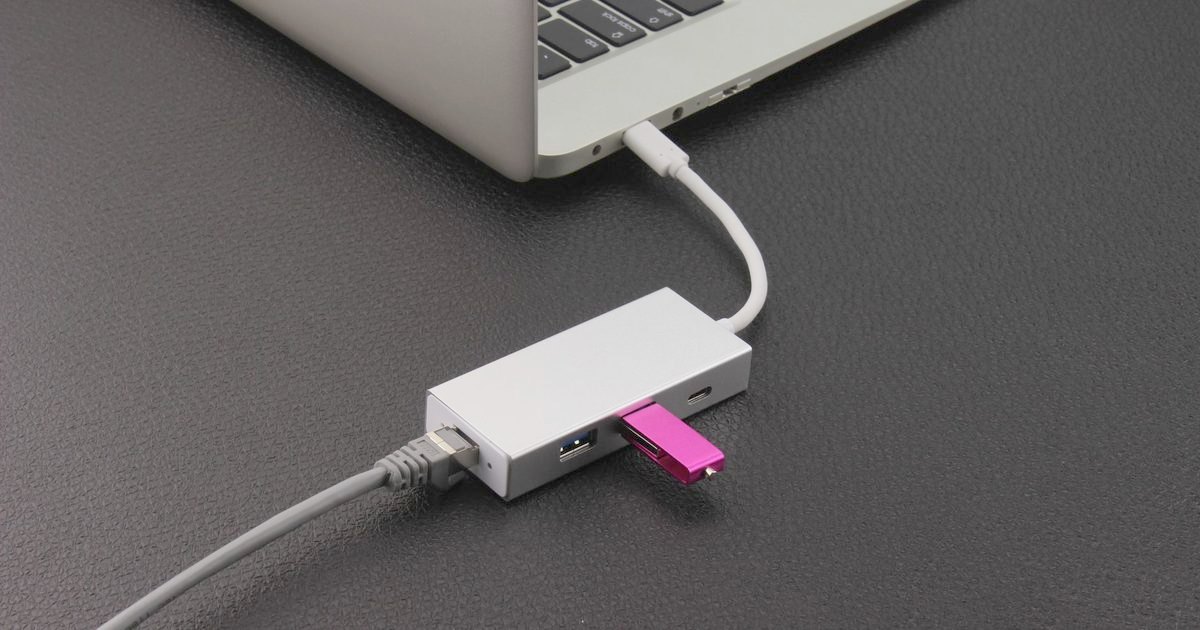
Wired internet is back in demand for anyone working from home or gaming on a laptop, and a USB-C hub with built-in Ethernet is the tidiest way to get it. This guide covers three sensible picks for UK buyers who want a stable wired connection plus the everyday ports a slim laptop leaves out. If you only need the wired connection and no extra ports, a dedicated USB-C ethernet adapter is smaller and cheaper.
Top picks
1. UGREEN Revodok 7-in-1 USB C Hub with Gigabit Ethernet - Best Overall
SPP Score: 9.1 / 10 - 7-in-1 connectivity, wired Ethernet. Our all-round pick.
Capability 8.5/10 - Versatility 9.4/10 - Build 8.5/10 - Value 8.9/10 - Fit 9.8/10
Fit for this guide: Wired internet plus the ports a slim laptop drops is the ask, and Gigabit Ethernet with 4K HDMI answers it.
Every pick here is scored out of 10: four marks rate the product and are the same in every guide, and the fifth rates its fit for this guide - how we test and score.
The UGREEN Revodok 7-in-1 hits the sweet spot for most laptops, pairing Gigabit Ethernet with 4K HDMI, three USB-A ports, an SD slot and 100W power delivery in one compact unit. A single USB-C connection to your laptop keeps everything tidy while you add wired networking and your usual peripherals. For a typical home-office or hybrid-working setup, this is the most balanced all-rounder here.
Pros
- ✓ Gigabit Ethernet for a stable wired connection without a separate adapter
- ✓ Seven-in-one layout covers the everyday ports a slim laptop leaves out
- ✓ Compact, single-cable design suits a tidy desk or travel bag
Cons
- ✗ Gigabit Ethernet here, so a multi-gig line will not reach its full speed
- ✗ General-purpose ports rather than the fastest 10Gbps data standard
Who it's for: Hybrid and home-office workers who want wired Ethernet and the everyday ports from one tidy hub.
Who it's not for: Anyone needing the port count of a full docking station (see our USB-C hub vs docking station explainer) or the fastest possible data transfer speeds.
2. Anker USB C Hub PowerExpand 6-in-1 with Ethernet - Best Budget
SPP Score: 8.7 / 10 - 6-in-1 connectivity, wired Ethernet. Our value pick.
Capability 8.0/10 - Versatility 8.9/10 - Build 8.9/10 - Value 8.9/10 - Fit 8.9/10
Fit for this guide: Gigabit Ethernet, 4K HDMI and 65W charging give wired internet to a laptop that needs nothing more.
The Anker PowerExpand 6-in-1 is the sensible-value choice that covers the essentials without fuss. You get Gigabit Ethernet, a 4K HDMI output, two USB-A ports and a spare USB-C data port, with 65W of pass-through charging on the USB-C input. It's a clean way to add wired networking to a slim laptop.
Pros
- ✓ Wired Ethernet adds a stable connection without a separate dongle
- ✓ Six-in-one layout covers the core ports most laptops need
- ✓ 4K HDMI and 65W power delivery alongside the wired connection
Cons
- ✗ Fewer total ports than the larger hubs in this guide
- ✗ No card reader at all, so camera cards need a separate one
Who it's for: Buyers who want a dependable, no-frills hub that handles wired internet and everyday peripherals.
Who it's not for: Power users who need 10Gbps transfers or a high port count.
3. Anker USB C Hub 8-in-1 with Ethernet and 10Gbps - Best Premium
SPP Score: 8.8 / 10 - 8-in-1 connectivity, wired Ethernet, high-speed data. Our pick for maximum capability.
Capability 9.4/10 - Versatility 9.4/10 - Build 8.9/10 - Value 8.9/10 - Fit 8.0/10
Fit for this guide: Ethernet arrives here alongside 10Gbps data ports that a reader after wired internet alone will not use.
The Anker 8-in-1 is the step up for heavy movers of data, adding 10Gbps USB ports so large file transfers and external SSDs feel genuinely fast. Alongside the speedy data lanes you still get wired Ethernet and the broadest port count in this guide. For creators and anyone who moves a lot of data, the extra bandwidth and ports justify the step up.
Pros
- ✓ 10Gbps USB ports for fast external drive and file transfers
- ✓ Eight-in-one layout covers demanding, multi-device workflows
- ✓ Wired Ethernet for a stable connection alongside the fast data lanes
Cons
- ✗ 85W pass-through charges less hard than the overall pick's 100W
- ✗ Larger footprint than a basic single-Ethernet adapter
Who it's for: Creators and heavy multitaskers who want fast 10Gbps data and wired Ethernet in one dock.
Who it's not for: Anyone who only needs Ethernet and the occasional peripheral, where a simpler hub does the job.
Quick verdict
For most UK buyers the UGREEN Revodok 7-in-1 USB C Hub with Gigabit Ethernet is the pick to beat, balancing Gigabit Ethernet with a tidy seven-port layout in one compact hub. If you want to cover the essentials with a trusted brand, the Anker USB C Hub PowerExpand 6-in-1 with Ethernet is the sensible-value choice, while the Anker USB C Hub 8-in-1 with Ethernet and 10Gbps is there when you need maximum speed and ports.
How we chose
An Ethernet hub earns its keep on four things: real Ethernet for a wired link, USB data speeds, overall port mix and how compact each hub is. We weighed UK home-office and laptop fit, build quality and how sensibly each hub balances features against everyday needs. Each link opens the hub's live Amazon UK page; check the current price and stock there, and confirm the Ethernet spec matches what your router can actually deliver.
FAQ
Q: Does a USB-C hub with Ethernet really give a more stable connection than Wi-Fi? A: A wired Ethernet link is generally more stable and lower-latency than Wi-Fi, which is why it suits video calls, large downloads and online gaming, though your actual speed still depends on your broadband line.
Q: Will a USB-C hub work with my laptop or tablet? A: These hubs work with most devices that have a full-function USB-C port supporting data and video output, including many Windows laptops, MacBooks and tablets, but it is worth confirming your device supports USB-C data and video before buying.
Q: Do I need any drivers to use the Ethernet port? A: Most modern USB-C hubs are plug-and-play on current Windows and macOS, though a small number may prompt for a driver on first use, so it is worth checking the listing for your operating system.
Affiliate disclosure: This page contains affiliate links. As an Amazon Associate we earn from qualifying purchases, at no extra cost to you. See our disclosure page for details.