
The label is the only reliable test
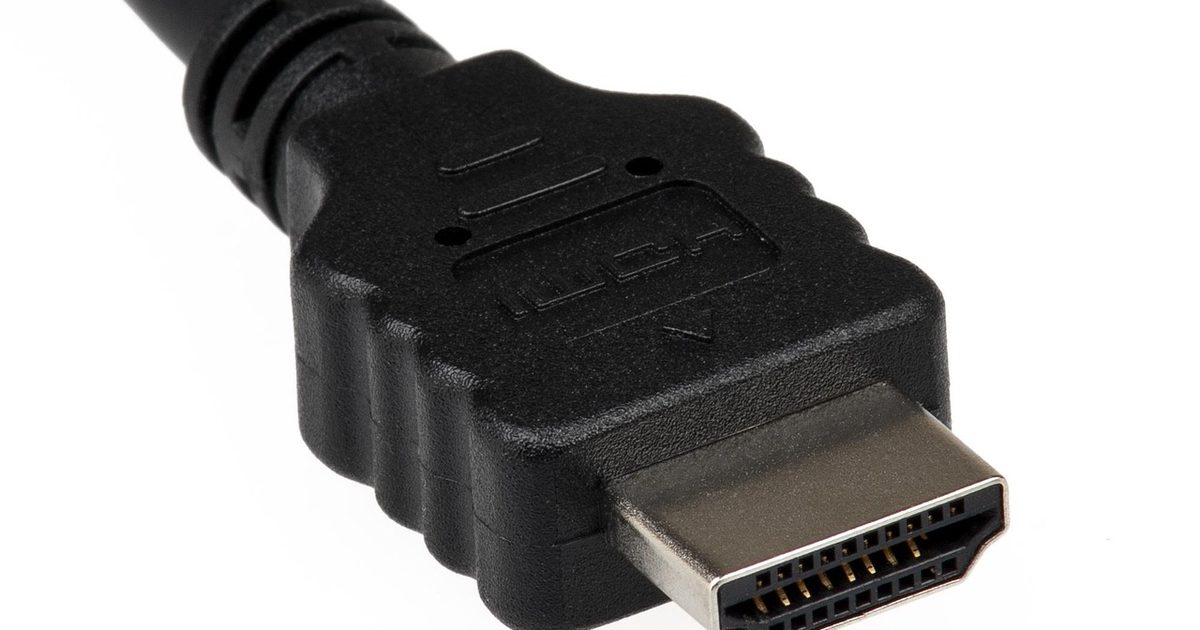
Here is the frustrating part: you can't look at an HDMI cable and read its version off it. The connectors are identical, the plugs are the same size, and a plain black lead gives nothing away. A version number in a product listing is only something the seller typed; nothing on the cable itself has to back it up, and plenty of cheap leads trade on exactly that gap.
What does count is the HDMI Forum's certification, because that is the one thing a maker cannot claim without testing for it. A cable built for the full 48Gbps of HDMI 2.1 is sold as an "Ultra High Speed HDMI Cable", and the Forum requires that name to be printed on the cable itself: as its own page puts it, "the names are also required to appear on the outer cable jackets themselves." The packaging then carries a certification label with a QR code, and "the labels can be scanned by standard QR code apps", so a quick scan with your phone lets you check that certification yourself rather than take a listing's word for it. If the Ultra High Speed name is nowhere on the jacket, treat it as an unknown quantity however the seller describes it.
What 48Gbps actually buys you
The reason the certification is worth chasing is bandwidth. The Ultra High Speed cable is rated, in the HDMI Forum's words, for "system configurations supporting up to 48Gbps maximum bandwidth", and that headroom is what carries the most demanding picture modes a recent console or graphics card can push out, such as 4K at 120Hz. It is why makers now bundle a certified cable with new hardware rather than an old one from the drawer.
An older cable won't black out the screen. A standard 4K60 picture still appears over an ordinary High Speed lead, which is why so many people never realise they are on the wrong one; it is only when you ask for 4K at 120fps that the shortfall shows, as a mode that refuses to switch on rather than any error you can see.
One thing worth knowing in 2026 so you are not caught out: 48Gbps is no longer the ceiling of the format. The HDMI Forum notes that "the HDMI 2.2 Specification introduced the latest cable - the Ultra96 HDMI Cable - that supports up to 96Gbps bandwidth." That is a separate, newer class aimed at HDMI 2.2, though; for anything you would call an HDMI 2.1 setup today, the Ultra High Speed cable is the one to look for.
Does your console already come with one
The good news is that current consoles put a capable cable in the box, so if you are still using the one that shipped with the machine you are probably fine. Microsoft states it plainly for the Xbox Series X: "Ultra High Speed HDMI cable and power cord are included." Nintendo includes one with the Switch 2 too, describing it as "the HDMI cable that is included with every Nintendo Switch 2 system" and rating the console for up to 4K, and separately for 120fps, in supported games.
Nintendo's own listing for that cable doesn't call it an "Ultra High Speed" cable either, which underlines the wider point: even a first-party accessory is easiest to judge by the certification on the jacket rather than the marketing around it. So for any console, the PlayStation 5 included, the surest check is still the same one: look at the cable in the box and see whether the Ultra High Speed name is on it.
Will a 2.1 cable work in a 2.0 port
Yes. HDMI is backwards compatible, so a newer cable in an older port simply runs at whatever the port supports and nothing breaks. What it does not do is upgrade the connection: plug an Ultra High Speed cable into a device whose HDMI port is 2.0, and you get a 2.0 link, because the port and the two devices set the ceiling, not the cable. The cable only has to be good enough not to be the bottleneck.
The reverse is the case that bites. An older High Speed cable plugged into a 2.1 TV and a 2.1 console will hold everyone back to its own limit, which is how a brand-new console ends up unable to reach the modes it advertises. If you have paid for 2.1 kit at both ends, the cable is the cheap link in the chain, so it is the last place to cut a corner.
When an older cable is genuinely fine
None of this means everyone needs to rush out and buy a new lead. If your display tops out at 4K60, or you are running 1080p, or you simply do not have a source that outputs 4K120, an existing High Speed cable does the job and a certified 2.1 cable changes nothing you can see. The upgrade only earns its place once you have a device that actually sends those higher modes and a screen that can show them.
A few neighbouring questions come up alongside this one, and each has its own guide here. If your laptop only has USB-C and the screen only takes HDMI, the lead you need is an adapter rather than a straight cable, and our USB-C to HDMI adapter guide covers those. If you have decided you do need a new certified cable, our best HDMI 2.1 cable guide narrows the choice to two. If the puzzle is really about a USB-C cable's capability rather than an HDMI one, the USB4 vs Thunderbolt 4 explainer untangles what those ports and leads actually carry. And on the length question below, the same physics that governs fast USB-C leads is laid out in our Thunderbolt 4 cable length guide.
FAQ
Q: How can I tell if my HDMI cable is 2.0 or 2.1? A: Look for the "Ultra High Speed HDMI Cable" name, which the HDMI Forum requires to be printed on the jacket of a certified 2.1 cable, and scan the QR code on its certification label with your phone to confirm it. If neither is there, you cannot assume it is 2.1 from the listing alone, whatever version number the description quotes.
Q: What does an HDMI 2.1 cable look like? A: Physically it looks like any other HDMI cable, with the same connectors, so the version is not something you can see from the shape. The only visible tell is the printed "Ultra High Speed" name on the jacket and the certification label with its scannable QR code on the packaging.
Q: Can I use a 2.1 HDMI cable in a 2.0 port? A: Yes. HDMI is backwards compatible, so a 2.1 cable works in a 2.0 port with no trouble; it just runs at the port's speed rather than adding any 2.1 features, since whatever the devices at each end support is the ceiling.
Q: Is an HDMI 2.1 cable backwards compatible? A: It is. An Ultra High Speed cable works with older HDMI devices and ports, and because it has more bandwidth than they need it will never be the thing holding them back. You only gain the higher modes when the source and the display support them as well.
Q: Does the PS5 come with an HDMI 2.1 cable? A: Consoles do ship with a cable in the box, and the reliable way to know what you have is to read its jacket rather than trust a spec sheet. Microsoft confirms the Xbox Series X includes an "Ultra High Speed HDMI cable", and for any console the same check applies: look for that name on the lead you already own.
Q: How long can an HDMI 2.1 cable be? A: The HDMI Forum does not publish a single maximum length, and longer high-bandwidth cables get harder to make reliably, so the safe move is to buy the shortest certified cable that reaches. The general trade-off between length and speed on fast digital leads is covered in our Thunderbolt 4 cable length guide linked above.