
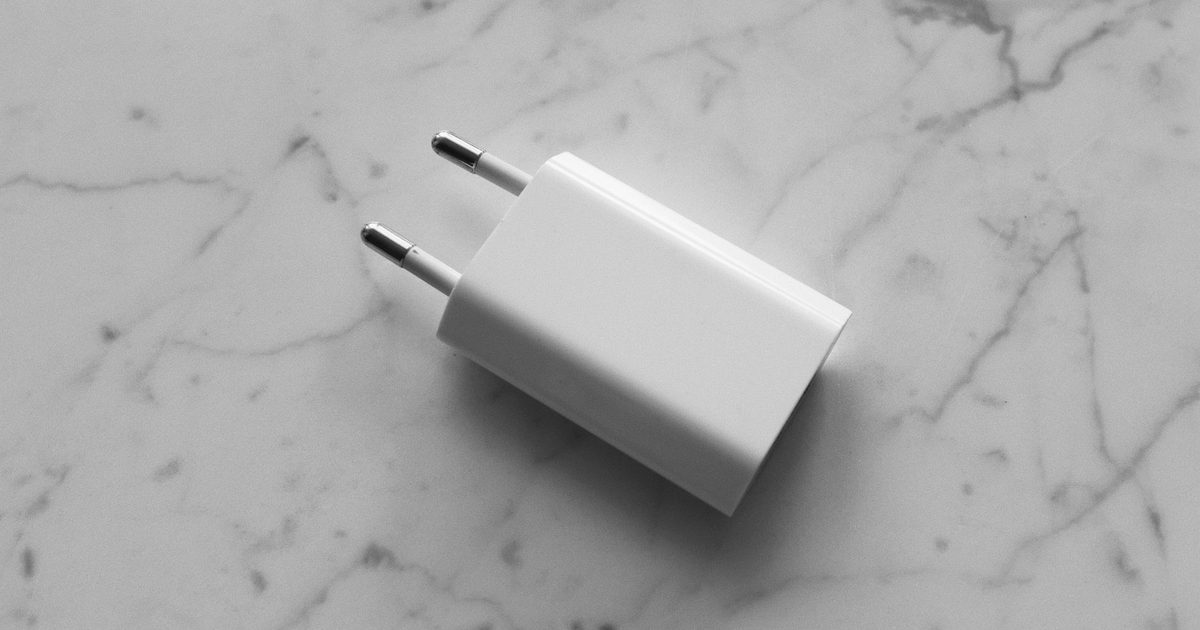
Microsoft publishes a per-model table of what each Surface Pro wants over USB-C, and the highest recommended figure on it is 60 watts, for the Surface Pro 9, X and 8, the Pro 9 with 5G and the 11th Edition. The 12-inch Pro asks for 45. So a single 65W USB-C Power Delivery charger covers every USB-C Surface Pro Microsoft lists, with a few watts to spare.
Microsoft also says that if the battery is drained and the charger is 60W or higher, the Surface "will instantly turn on when you plug it in", while a lower-wattage or USB-A charger "may charge slowly or not at all". A Surface Pro 6 or older can't take a USB-C charger at all: Microsoft lists them as Surface Connect only.
With 65W settled, the choice comes down to whether you want a cable built in and how many other devices share the plug.
Top picks
1. UGREEN Nexode 65W USB-C Charger (Built-in Retractable Cable) - Best Overall
SPP Score: 8.9 / 10 - 65W with a built-in retractable USB-C cable. Our all-round pick.
Capability 8.5/10 - Versatility 8.5/10 - Build 8.9/10 - Value 8.9/10 - Fit 9.4/10
Fit for this guide: 65W meets Microsoft's recommended wattage for every USB-C Surface Pro, and the built-in cable makes it the one-item charger for the bag.
Every pick here is scored out of 10: four marks rate the product and are the same in every guide, and the fifth rates its fit for this guide - how we test and score.
The cable is the reason this one leads. UGREEN builds a retractable USB-C cable into the plug, which it lists at 0.69m, and adds a separate USB-C and a USB-A port for three in total.
Pros
- ✓ The retractable USB-C cable is built in, so there's no separate lead to pack
- ✓ Two more ports, a USB-C and a USB-A, for a phone or older kit alongside
Cons
- ✗ At 0.69m, the built-in cable is short for reaching across a desk
- ✗ UGREEN says power is split across the ports, so a phone plugged in beside the Surface takes a share of the 65W
Who it's for: Surface Pro owners who charge on the move.
Who it's not for: Desk users who would rather run their own longer cable.
2. UGREEN 65W USB-C Charger (3-Port GaN Travel Plug) - Best Budget
SPP Score: 8.6 / 10 - 65W in a compact three-port travel plug. Our value pick.
Capability 8.5/10 - Versatility 8.0/10 - Build 8.9/10 - Value 8.9/10 - Fit 8.9/10
Fit for this guide: It carries the 65W a Surface Pro asks for in a compact three-port travel plug.
If the built-in cable isn't the part you care about, UGREEN's listing title describes this as a 65W GaN "3 Port Compact Travel Plug", so the Surface and a phone can share the plug.
Pros
- ✓ Three ports on one plug, per its listing title
Cons
- ✗ Its listing title doesn't give the port mix, so check it has the USB-C ports you need
Who it's for: Surface owners who want a small 65W plug with room for a phone.
Who it's not for: A desk with more than three devices to charge; that's the four-port pick.
3. UGREEN Nexode 100W USB-C Charger (4-Port GaN) - Best Premium
SPP Score: 8.5 / 10 - 100W and four ports for a desk that charges everything. Our pick for maximum capability.
Capability 9.4/10 - Versatility 8.5/10 - Build 8.9/10 - Value 8.5/10 - Fit 7.6/10
Fit for this guide: Microsoft's recommended figures stop at 60W, so the extra watts serve a phone and earbuds beside the Surface, which suits a busy desk.
This is the desk charger. UGREEN's listing title gives it 100W across four ports in a GaN laptop charger plug, so the Surface, a phone and earbuds can all charge from one socket. Its title doesn't give the port mix, so look before you plan your cables.
Pros
- ✓ The most total output here, per UGREEN's 100W rating
- ✓ Four ports on one plug for a whole desk of devices
Cons
- ✗ Microsoft's top recommended figure for a USB-C Surface Pro is 60W, so the watts above that serve the other devices on the plug, not the tablet
Who it's for: Desk owners charging a Surface plus a phone, earbuds and maybe a second laptop from one plug.
Who it's not for: Anyone charging only the Surface; a 65W pick does that job.
Quick verdict
Most Surface Pro owners should buy the UGREEN Nexode 65W USB-C Charger (Built-in Retractable Cable): one item in the bag, cable included. If you don't need a cable built in, the UGREEN 65W USB-C Charger (3-Port GaN Travel Plug) is the compact three-port plug. For a desk where the Surface shares the plug with other devices, the UGREEN Nexode 100W USB-C Charger (4-Port GaN) gives each one a port. For 65W chargers in general, our 65W GaN charger guide covers it, and for topping the tablet up away from the wall a laptop power bank does the other half of the job.
How we chose
We started with Microsoft's own two support pages rather than any charger's marketing: the per-model wattage table and the USB-C fast-charging guidance. Those pages give the wattage to meet; we set our own bar at 65W, just above it, and looked for chargers that clear it and differ in what else they do. On amazon.co.uk at 65W and 100W, every charger we could recommend with confidence came from UGREEN; the other brands we checked fell short on the same tests, so all three picks come from one maker. We take no payment for placement. Check each listing for what's in the box; the overall pick has its cable built in.
FAQ
Q: Can I charge a Surface Pro 7 over USB-C? A: Yes. Microsoft's table lists the Surface Pro 7 and 7+ at a 60W minimum with no fast charging, so a 65W charger works but won't fast-charge them. Check your exact model against Microsoft's list before you buy.
Q: Do I need a special cable? A: For a plug without a built-in cable, use a USB-C to USB-C cable rated for the wattage you want; the charger and Surface agree the rest over USB-C Power Delivery. Our USB-C fast-charging cable guide covers what to look for.
Affiliate disclosure: This page contains affiliate links. As an Amazon Associate we earn from qualifying purchases, at no extra cost to you. See our disclosure page for details.