
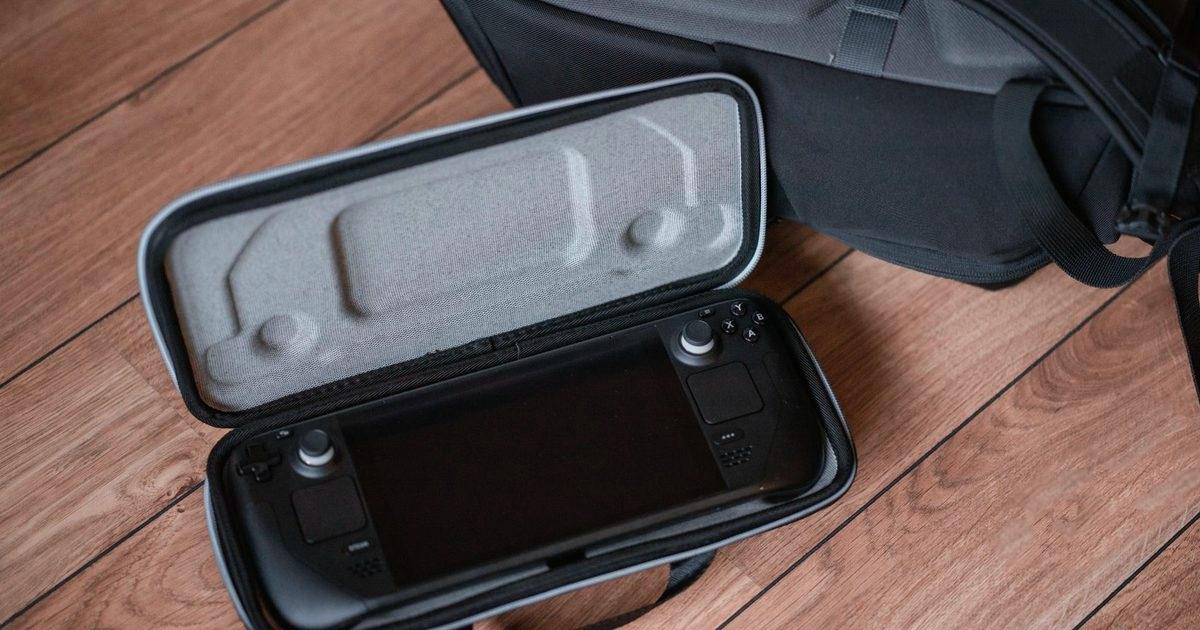
The Steam Deck has a single USB-C port, so a good hub turns it into a proper desktop or TV setup with a screen, wired internet, and room for controllers and storage. This guide covers three USB-C hubs that suit Steam Deck owners, from a compact everyday pick to a full docking station, so you can find the one that matches how you play.
Top picks
1. UGREEN Revodok 7-in-1 USB C Hub with Gigabit Ethernet - Best Overall
SPP Score: 9.1 / 10 - 7-in-1 connectivity, wired Ethernet. Our all-round pick.
Capability 8.5/10 - Versatility 9.4/10 - Build 8.5/10 - Value 8.9/10 - Fit 9.8/10
Fit for this guide: A Steam Deck on the telly wants HDMI, wired internet and charging, and this hub carries all three.
Every pick here is scored out of 10: four marks rate the product and are the same in every guide, and the fifth rates its fit for this guide - how we test and score.
This UGREEN Revodok packs the essentials a Steam Deck owner actually needs into one tidy unit: HDMI for the TV or a monitor, Gigabit Ethernet for stable downloads and online play, multiple USB-A ports for controllers and accessories, an SD slot, and USB-C power delivery to keep the Deck charged while you game. It's the sensible first port of call for anyone who wants TV play and charging from a single connection.
Pros
- ✓ Seven functions in one hub, including HDMI, Ethernet and SD
- ✓ USB-C power delivery to charge the Deck while docked
- ✓ Multiple USB-A ports for controllers, dongles and storage
- ✓ Gigabit Ethernet for stable wired downloads and online play
Cons
- ✗ A single HDMI means one external display at a time
- ✗ No spare USB-C data port, so wired accessories all go through its USB-A ports
Who it's for: Steam Deck owners who want one reliable hub for TV play, wired internet and charging without clutter.
Who it's not for: Anyone needing two external monitors at once, which is the job of the premium Revodok Pro 210 below.
2. Anker USB C Hub 5-in-1 with 4K HDMI - Best Budget
SPP Score: 8.7 / 10 - 5-in-1 connectivity. Our value pick.
Capability 8.0/10 - Versatility 8.9/10 - Build 9.4/10 - Value 8.9/10 - Fit 8.9/10
Fit for this guide: HDMI TV out plus two USB-A ports handle a Deck and its controllers when Wi-Fi is fine.
The Anker 5-in-1 is the sensible-value choice that covers the essentials for couch gaming: 4K HDMI out to the telly, USB-A ports for wired controllers or a keyboard and mouse, and USB-C power delivery to keep the Deck topped up. It's compact, so it slips into a bag for travel or sits unobtrusively behind the TV. Anker is a well-established name in charging accessories, which is reassuring for a port you use every day.
Pros
- ✓ 4K HDMI output for big-screen Steam Deck play
- ✓ USB-C power delivery to charge while docked
- ✓ USB-A ports for controllers and peripherals
- ✓ Compact and travel-friendly
Cons
- ✗ No SD or microSD reader, unlike the other two picks in this guide
- ✗ Fewer USB-A ports than larger hubs, so accessory-heavy setups may run out
Who it's for: Players who mainly want HDMI, charging and a couple of USB ports in a pocketable form.
Who it's not for: Anyone who needs wired Ethernet or an SD card slot.
3. UGREEN Revodok Pro 210 USB C Docking Station (10-in-1) - Best Premium
SPP Score: 9.0 / 10 - 10-in-1 connectivity, wired Ethernet. Our pick for maximum capability.
Capability 9.8/10 - Versatility 9.8/10 - Build 8.5/10 - Value 8.9/10 - Fit 8.0/10
Fit for this guide: A 10-in-1 dock with dual HDMI suits a Deck used as a desktop rather than a TV session.
The Revodok Pro 210 is the do-it-all dock, turning a Steam Deck into a full desktop station. With its ten functions spanning two HDMI outputs that UGREEN rates for dual 4K at 60Hz, wired Ethernet, additional USB-C and USB-A ports, card slots, and USB-C power delivery, it handles a complete monitor-keyboard-mouse-network setup from one connection. It is also the only pick here that can drive two external displays at once. The broad port array makes it the most capable choice here for anyone who docks the Deck as a daily machine. Torn between a hub and a full dock? Our USB-C hub vs docking station explainer settles it.
Pros
- ✓ Ten functions in one docking station for a full desktop setup
- ✓ Wired Ethernet plus USB-C power delivery
- ✓ Extra USB-C port alongside USB-A ports
- ✓ Card slots for quick file transfers
Cons
- ✗ Larger and less portable than the compact picks
- ✗ More ports than a casual TV-only setup needs
Who it's for: Owners who use the Steam Deck as a desktop replacement with monitors, wired network and peripherals.
Who it's not for: Anyone who just wants a small hub for occasional TV play.
Quick verdict
For most Steam Deck owners the UGREEN Revodok 7-in-1 USB C Hub with Gigabit Ethernet is the standout, balancing HDMI, Ethernet, charging and plenty of USB-A in one neat unit. If you want to cover the essentials more simply, the Anker USB C Hub 5-in-1 with 4K HDMI is the sensible-value choice, while the UGREEN Revodok Pro 210 USB C Docking Station (10-in-1) suits anyone building a full desktop setup.
How we chose
A Deck hub only has a few jobs, so we scored on exactly those: HDMI for TV and monitor output, USB-C power delivery to keep the Deck charged while docked, USB-A ports for controllers and peripherals, and Ethernet for stable downloads and online play. We also weighed build, portability and UK fit. Dock listings change often, so follow the links through to Amazon UK and check the live price before you plan a TV setup around one. Playing away from the mains too? Our best power bank for Steam Deck guide covers charging on the move.
FAQ
Q: Will a USB-C hub charge my Steam Deck while it is connected to the TV? A: Yes, as long as the hub has a USB-C power delivery input and you plug the Deck's charger into it. All three picks here support pass-through charging, so the Deck stays powered while docked.
Q: Do I need Ethernet, or is Wi-Fi enough? A: Wi-Fi is fine for play, but a wired Ethernet connection gives more consistent download speeds and lower latency online, which is why both Revodok picks here include an Ethernet port. In handheld mode a standalone USB-C ethernet adapter does the same job without the dock.
Q: Can I connect a keyboard, mouse and controller through one hub? A: Yes. The USB-A ports on these hubs handle keyboards, mice and wired or dongle-based controllers, so you can build a full desktop-style setup from the Deck's single port.
Affiliate disclosure: This page contains affiliate links. As an Amazon Associate we earn from qualifying purchases, at no extra cost to you. See our disclosure page for details.